CRM vs Spreadsheet: Which Is Better for Sales Management?
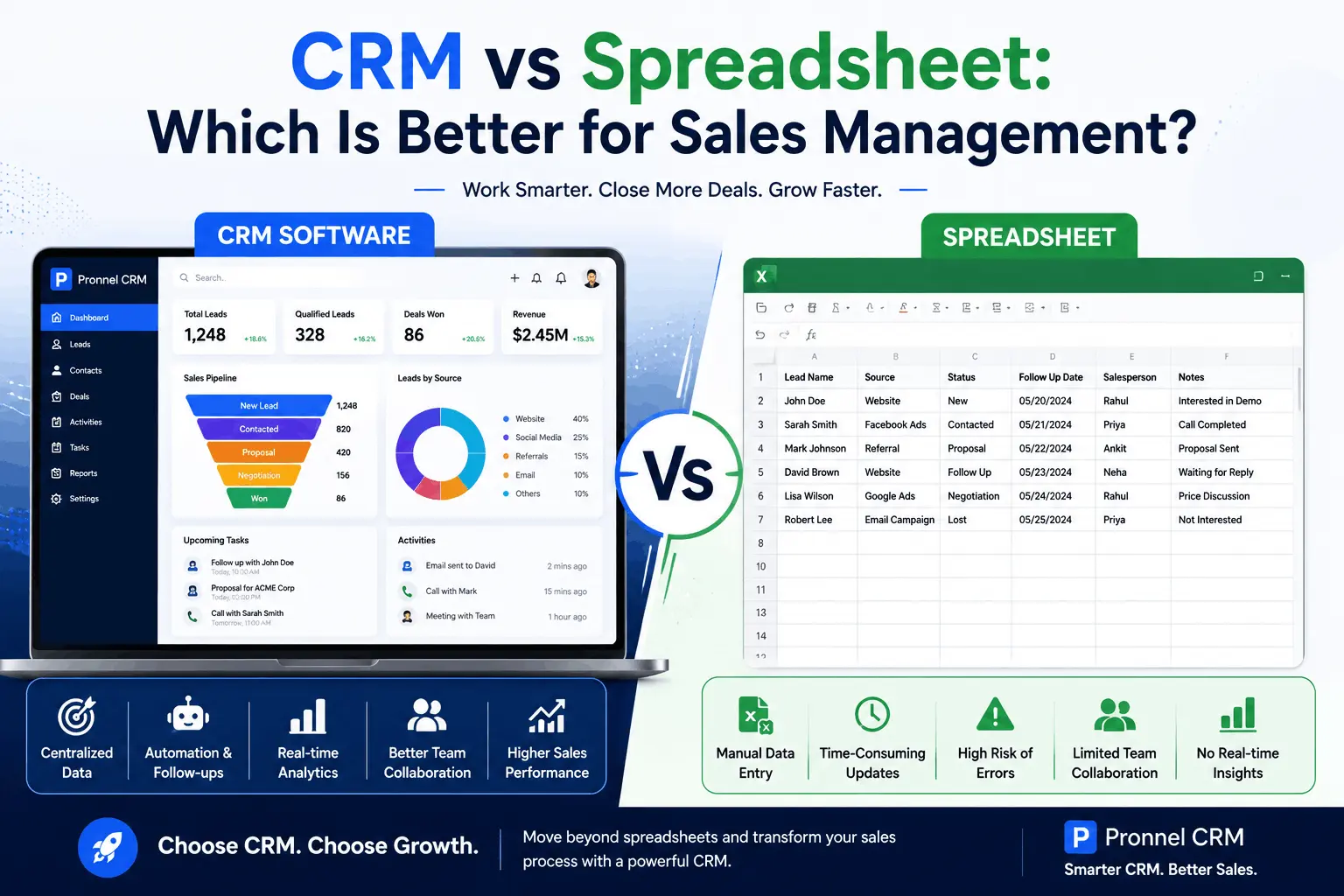
Imagine two sales teams receiving 100 new leads from a marketing campaign.
The first team manages everything using Excel spreadsheets. Sales representatives manually enter customer details, update lead statuses, create reminders, and share files through email. A week later, several leads have received no follow-up, duplicate records have appeared, and managers struggle to understand the true state of the sales pipeline.
The second team uses a CRM platform. Every lead is automatically captured, assigned to a salesperson, tracked through the sales pipeline, and monitored with automated reminders. Managers can instantly see which deals are progressing, which require attention, and where revenue opportunities exist.
Both teams started with the same number of leads. Yet one team closes significantly more deals simply because they have the right system in place.
This raises an important question:
Should businesses continue using spreadsheets for sales management, or is it time to invest in a CRM?
In this comprehensive guide, we'll compare CRM software and spreadsheets across lead management, sales tracking, collaboration, automation, reporting, and scalability to determine which solution delivers better sales outcomes.
Table Of Contents
- Executive Summary (TL; DR)
- Why Businesses Still Use Spreadsheets for Sales Management
- Understanding CRM Software
- CRM vs Spreadsheet: A Detailed Comparison
- 10 Reasons CRM Outperforms Spreadsheets
- How Pronnel Simplifies Sales Management
- 5 Best Practices for Modern Sales Teams
- FAQ’s
- Conclusion
Executive Summary (TL; DR) :
Many businesses begin managing sales processes using Microsoft Excel or Google Sheets because they are familiar, affordable, and easy to access.
However, as lead volumes increase and sales teams grow, spreadsheets often become difficult to maintain. Manual data entry, inconsistent updates, missed follow-ups, and poor visibility create operational inefficiencies that directly impact revenue.
This guide compares CRM software and spreadsheets across critical sales functions including lead management, pipeline tracking, automation, collaboration, reporting, and customer communication.
🚀 Sales Productivity Upgrade: Stop tracking leads manually across spreadsheets and disconnected tools. Move your sales operations into a unified CRM workspace that automates lead management, customer communications, task assignments, and reporting.Free Omnichannel Lead Management Workspace via Pronnel.
We'll explore why modern businesses are transitioning from spreadsheets to CRM software and how platforms like Pronnel help organizations scale sales efficiently.
Why Businesses Still Use Spreadsheets for Sales Management
Spreadsheets have been the default sales tracking tool for decades.
Many businesses rely on Excel or Google Sheets because they:
- Are easy to set up
- Require minimal training
- Have low upfront costs
- Offer basic customization
- Are familiar to employees
For very small teams managing a handful of prospects, spreadsheets may appear sufficient.
However, sales complexity increases rapidly as businesses grow.
What starts as a simple lead tracking document often becomes a large, difficult-to-manage system that creates more problems than it solves.
Understanding CRM Software
CRM (Customer Relationship Management) software is designed specifically to manage customer interactions, sales pipelines, lead tracking, follow-ups, reporting, and team collaboration.
Unlike spreadsheets, CRM systems actively support sales processes by automating repetitive tasks and providing real-time visibility into customer relationships.
Modern CRM platforms help businesses:
- Capture leads automatically
- Track customer interactions
- Manage sales pipelines
- Automate follow-ups
- Assign tasks
- Generate reports
- Improve team collaboration
Rather than functioning as a static database, CRM software becomes the operational hub for sales activities.
CRM vs Spreadsheet: A Detailed Comparison
1. Lead Capture
Spreadsheet
Leads must be manually entered.
This creates delays and increases the risk of missing important inquiries.
CRM
Leads are automatically captured from websites, forms, emails, advertisements, and social media channels.
Winner: CRM
2. Lead Tracking
Spreadsheet
Tracking lead progress requires constant manual updates.
Human errors frequently occur.
CRM
Every lead stage is automatically tracked and updated.
Managers have full visibility into pipeline status.
Winner: CRM
3. Follow-Up Management
Spreadsheet
Sales representatives rely on manual reminders and calendar notes.
Missed follow-ups are common.
CRM
Automated reminders ensure opportunities never slip through the cracks.
Winner: CRM
4. Customer Communication
Spreadsheet
Calls, emails, WhatsApp messages, and meetings are stored separately.
Customer histories become fragmented.
CRM
All customer interactions are centralized within one platform.
Winner: CRM
5. Team Collaboration
Spreadsheet
Multiple users editing the same sheet often creates confusion and version-control issues.
CRM
Teams collaborate using shared customer records and real-time updates.
Winner: CRM
6. Reporting and Analytics
Spreadsheet
Reports require manual creation and updating.
Data accuracy depends on user discipline.
CRM
Real-time dashboards provide instant insights into performance metrics.
Winner: CRM
7. Automation
Spreadsheet
Almost every task requires manual effort.
CRM
Lead assignment, notifications, reminders, workflows, and reporting can be automated.
Winner: CRM
8. Security
Spreadsheet
Files can be downloaded, copied, shared, or accidentally deleted.
CRM
Role-based permissions provide better data protection.
Winner: CRM
9. Scalability
Spreadsheet
Becomes difficult to manage as customer and lead volumes increase.
CRM
Designed to support growing businesses and larger sales teams.
Winner: CRM
10 Reasons CRM Outperforms Spreadsheets
1. Eliminates Manual Data Entry
Automation reduces errors and saves time.
2. Improves Speed-to-Lead
Leads are routed instantly to sales representatives.
3. Prevents Missed Follow-Ups
Automated reminders improve conversion rates.
Omnichannel Communication
Manage WhatsApp, email, phone calls, and customer conversations from one platform.
4. Creates Complete Customer Histories
Every interaction is tracked automatically.
5. Improves Team Collaboration
Everyone works from the same source of truth.
6. Increases Sales Productivity
Less administration, more selling..
7. Provides Better Forecasting
Pipeline visibility improves revenue planning.
8. Enhances Customer Experiences
Personalized interactions become easier.
9. Strengthens Data Security
Customer information remains protected.
10. Supports Business Growth
CRM systems scale alongside the organization.
How Pronnel Simplifies Sales Management
Pronnel helps businesses move beyond spreadsheets by providing a unified CRM workspace designed for modern sales teams.
Key capabilities include:
1. Lead Management
Capture and organize leads automatically.
2. Contact Management
Maintain complete customer profiles.
3. Activity Tracking
Monitor calls, meetings, emails, and tasks.
4. Sales Pipeline Management
Track deals from inquiry to closure.
5. Workflow Automation
Reduce repetitive manual work.
6. Reporting & Analytics
Gain real-time visibility into sales performance.
7. Team Collaboration
Improve communication and accountability.
With Pronnel, businesses can manage customer relationships, sales activities, and operational workflows from a single platform.
5 Best Practices for Modern Sales Teams
1. Centralize Customer Information
Store all customer data in one place.
2. Automate Routine Tasks
Focus team efforts on revenue-generating activities.
3. Monitor Pipeline Health
Track opportunities throughout the sales cycle.
4. Standardize Follow-Up Processes
Create consistency across the sales team.
5. Use Data to Drive Decisions
Leverage analytics to improve performance.
Frequently Asked Questions About Why Every Real Estate Business Needs a CRM
What is the main difference between a CRM and a spreadsheet?
A spreadsheet is a manual data management tool used to store and organize information, while a CRM is purpose-built software designed to manage leads, customer interactions, sales pipelines, follow-ups, reporting, and team collaboration through automation and real-time tracking.
Can spreadsheets be used for sales management?
Yes, spreadsheets can be used for basic sales tracking in small businesses. However, as lead volumes and sales activities grow, spreadsheets become difficult to manage and lack automation, collaboration, and reporting capabilities.
Why is CRM software better than Excel for managing sales?
CRM software automates lead management, follow-ups, task assignments, communication tracking, and reporting. Unlike Excel, a CRM provides real-time visibility into the sales pipeline and helps teams work more efficiently.
When should a business switch from spreadsheets to a CRM?
Businesses should consider switching to a CRM when they struggle with missed follow-ups, increasing lead volumes, poor visibility into sales activities, or collaboration challenges among team members.
Can a CRM help improve sales conversion rates?
Yes. CRM software improves conversion rates by ensuring timely follow-ups, better lead tracking, automated reminders, and complete visibility into customer interactions throughout the sales cycle.
What are the risks of managing sales through spreadsheets?
Common risks include manual data entry errors, missed follow-ups, duplicate records, lack of real-time updates, security concerns, poor collaboration, and limited reporting capabilities.
How does Pronnel help businesses move beyond spreadsheets?
Pronnel centralizes lead management, customer communications, sales pipeline tracking, workflow automation, reporting, and team collaboration into a unified CRM platform, helping businesses improve productivity and close more deals.
Conclusion
Spreadsheets may be familiar, but familiarity does not always translate into efficiency.
As businesses grow, manual processes become bottlenecks that slow sales teams, reduce visibility, and create unnecessary risks. CRM software provides a more effective approach by automating routine tasks, improving collaboration, enhancing customer experiences, and delivering actionable insights. Organizations that continue relying on spreadsheets often struggle to scale efficiently, while businesses that adopt CRM platforms gain the operational foundation needed for sustainable growth. If your goal is to increase productivity, improve lead management, and close more deals, transitioning from spreadsheets to a CRM solution like Pronnel is a strategic investment that pays dividends across every stage of the sales process.
Subscribe To Pronnel Blogs
Get the latest updates on AI CRM software, WhatsApp automation, business productivity, customer engagement, and workflow automation directly to your inbox.