



Reporting and Dashboards in Pronnel Teams act as the project's central command center.
They translate raw data from tasks, sprints, and resources into real-time analytics and visual monitors of project health, enabling continuous performance improvement.
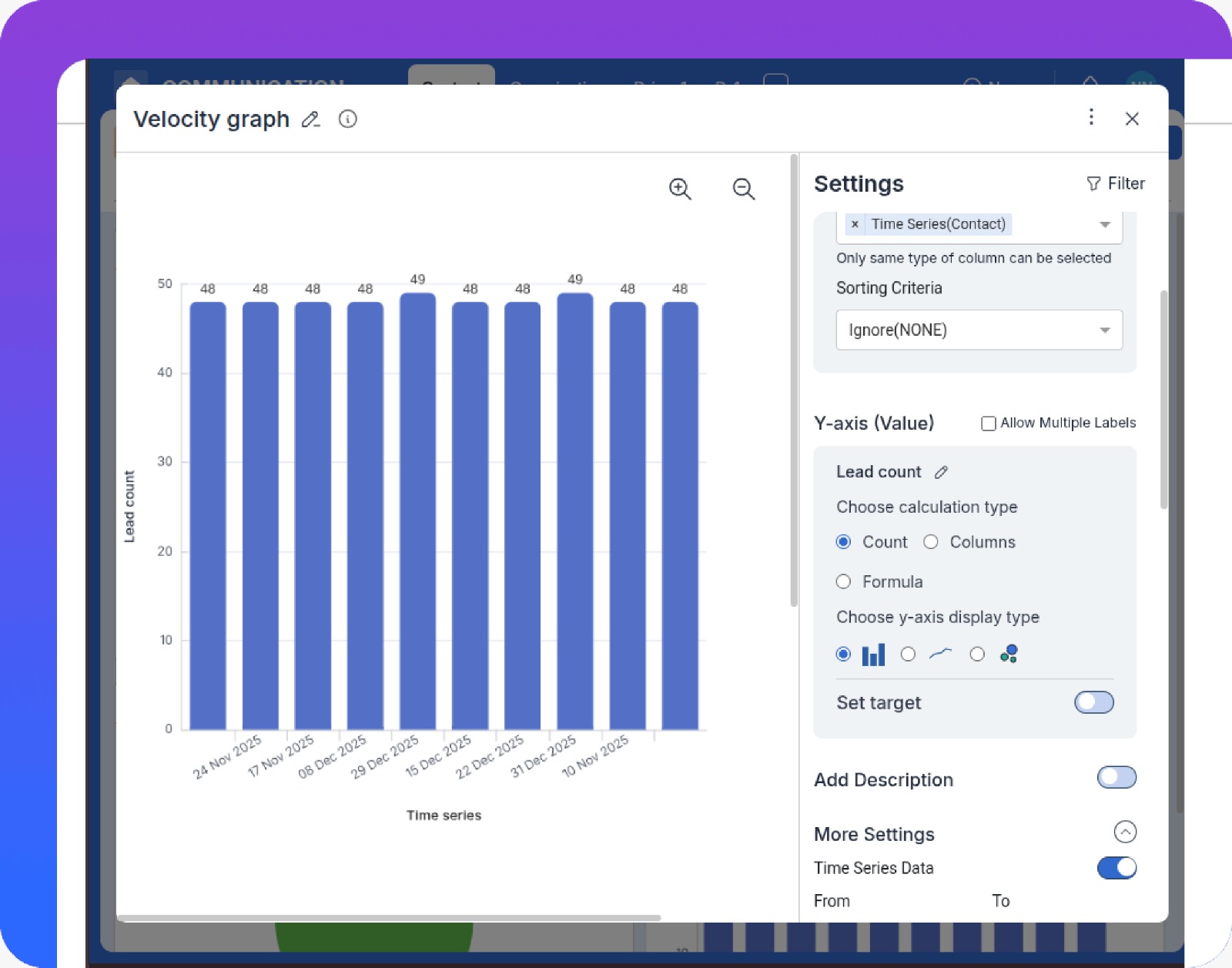
Use pre-built Agile graphs such as Velocity Charts and Burnup/Burndown Charts to track completed work, remaining work, and team capacity across sprints.
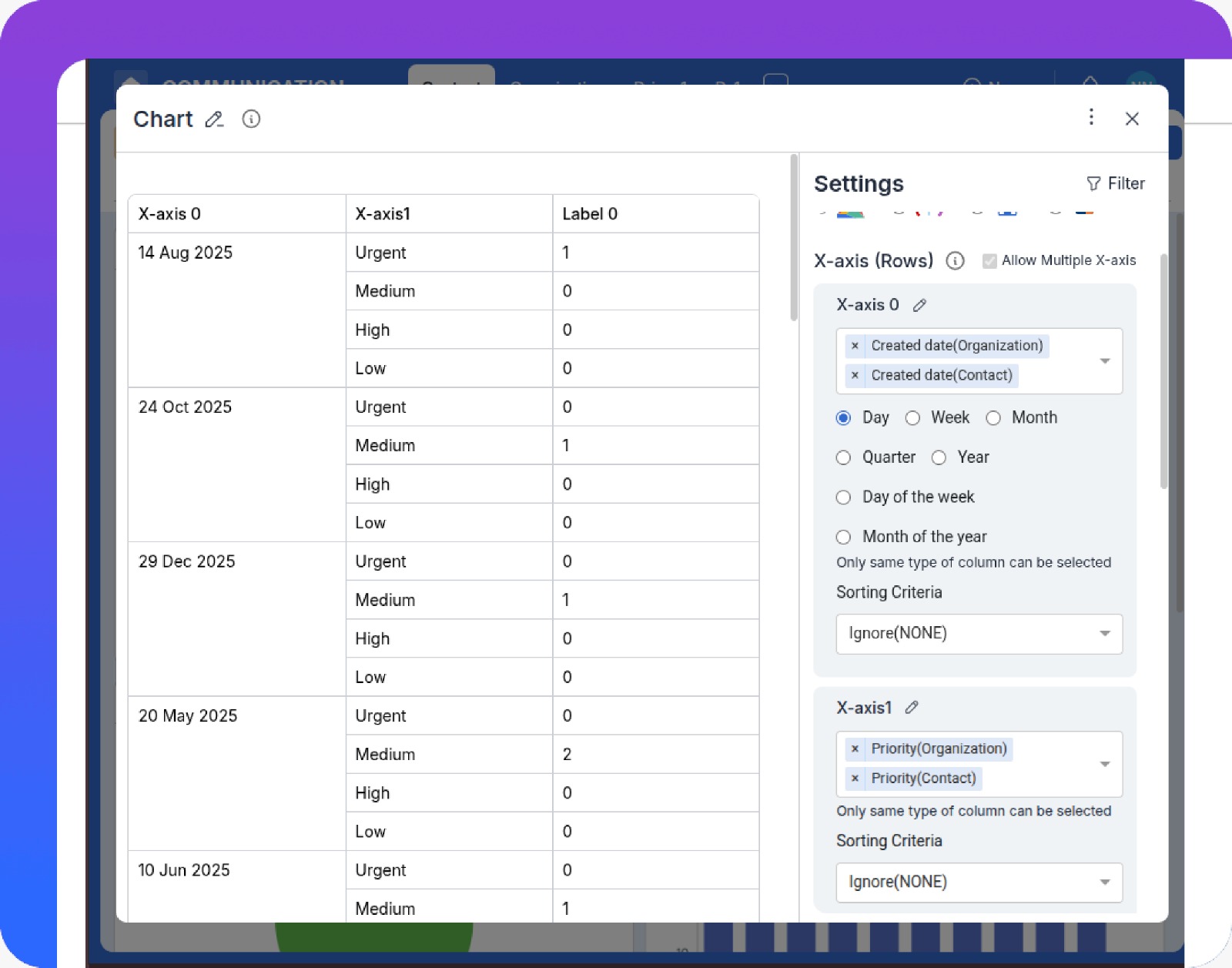
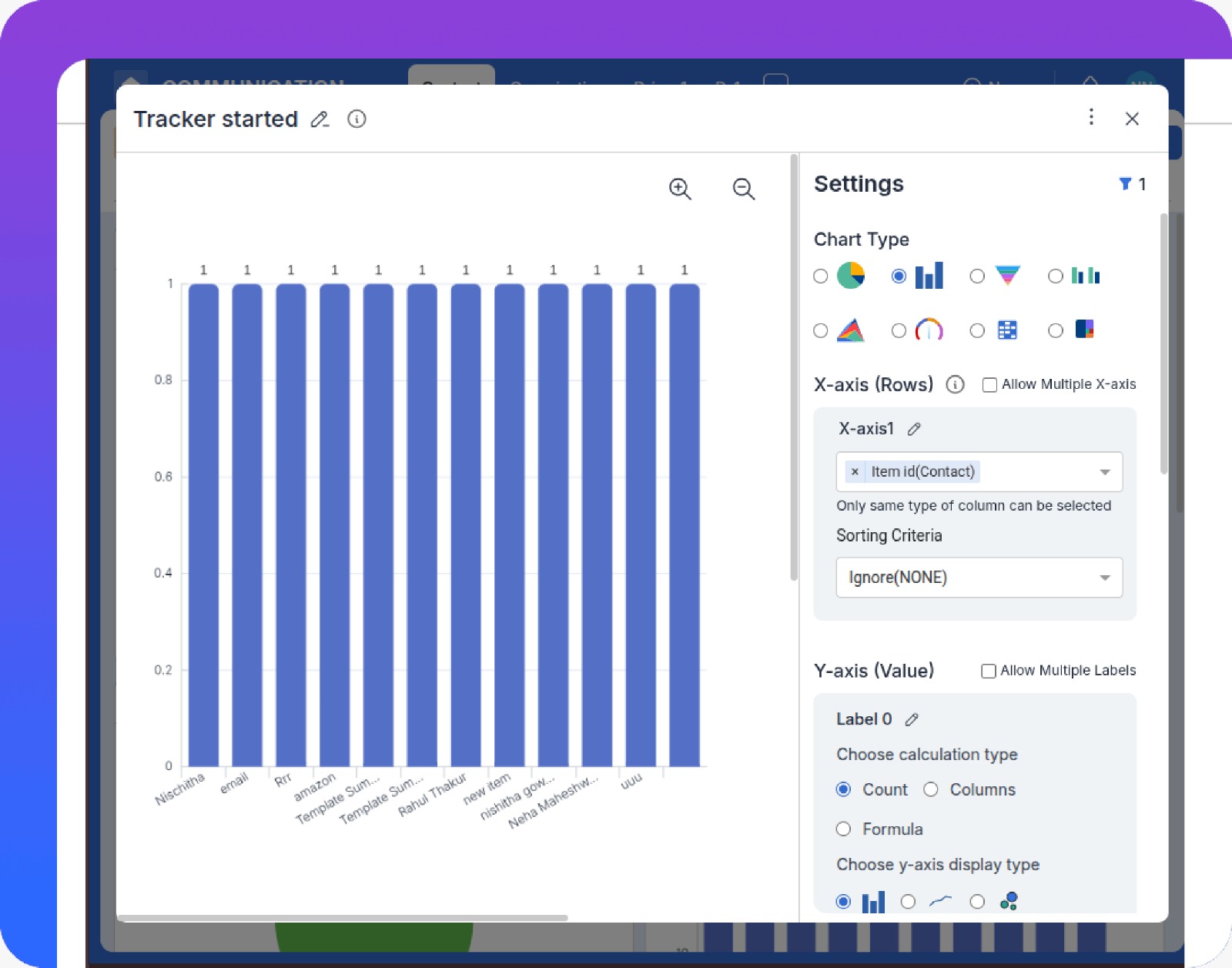
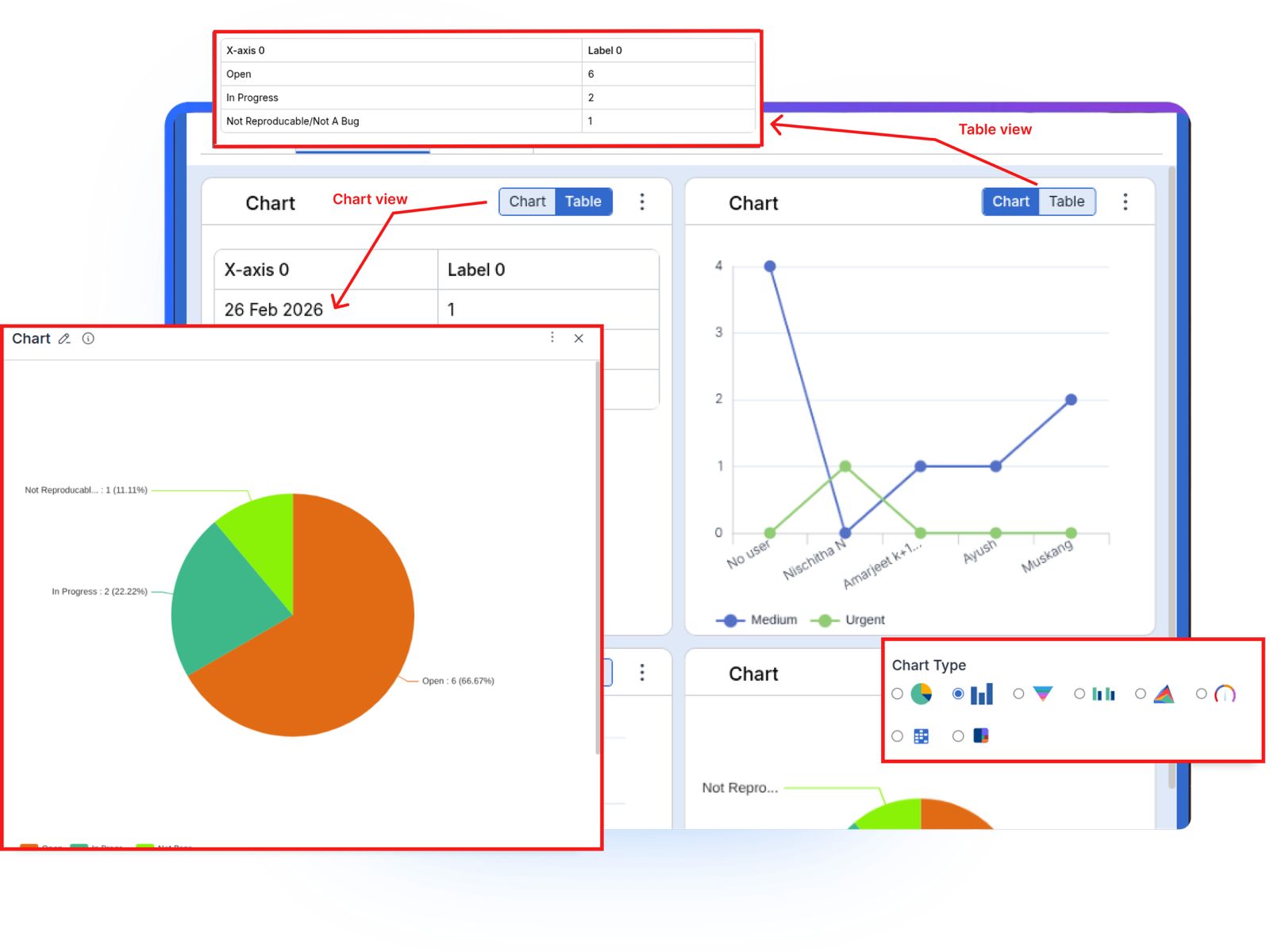
Create custom reports and graphs (Pie, Bar, Line, Heat Maps) pulling data from Tasks, Issues, and Resources to analyze KPIs like Defect Density and Resource Utilization.
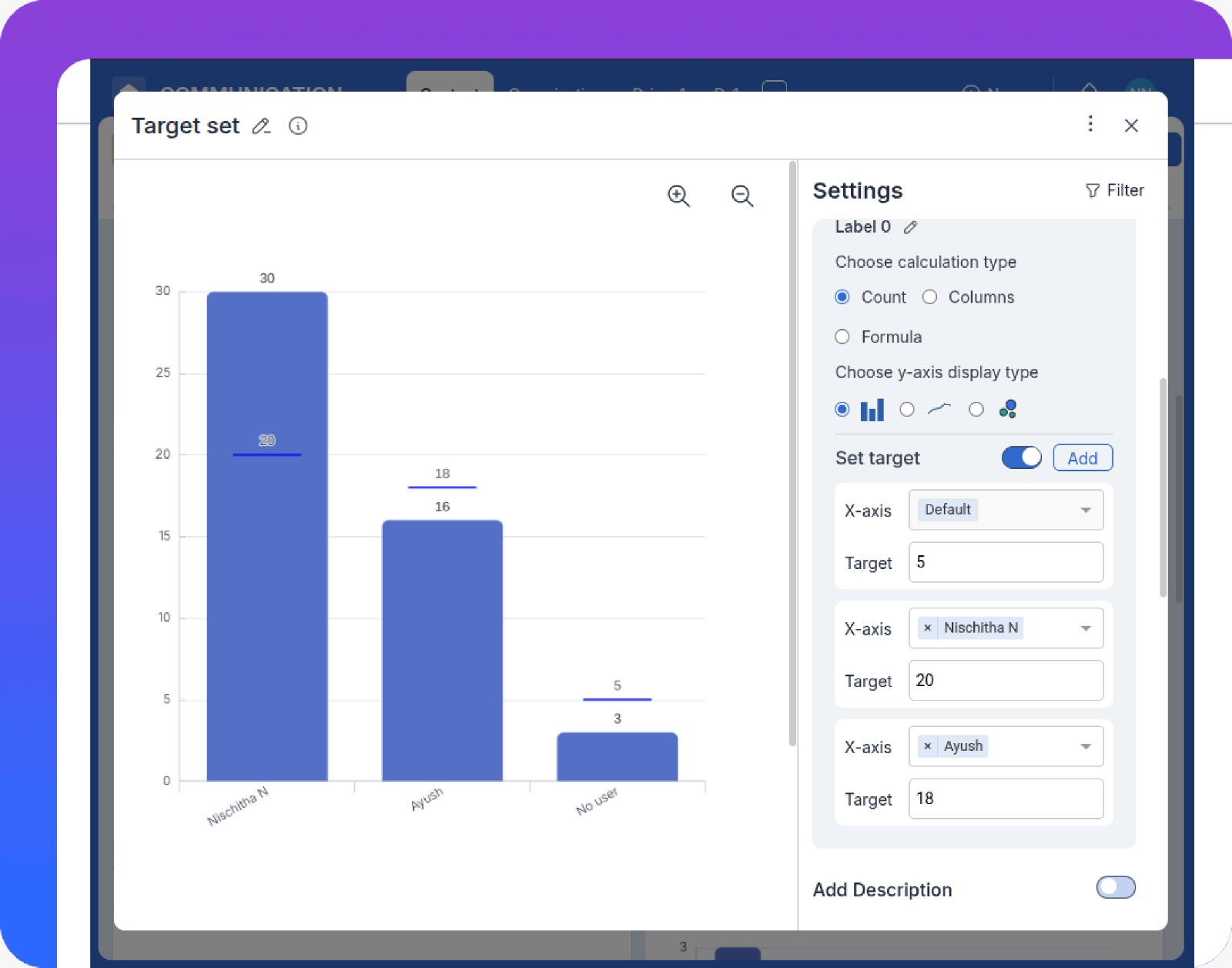
Use real-time dashboards and Target Lines on charts so Project Managers can see immediately whether the team is meeting commitments and spot deviations from the plan.
Track task progress, resource workload, and sprint health in real time to identify bottlenecks and act quickly.
See personal workloads and task impact clearly, improving accountability and alignment with sprint goals.
Monitor overall project and portfolio health through high-level KPIs and milestone status for informed decisions.
Plan, visualize, and align work across timelines to ensure teams stay focused on priorities and long-term goals.
Log, prioritize, and resolve issues and bugs efficiently while tracking status and accountability.
Plan, assign, and track project tasks with structured boards that keep teams aligned and work moving forward.
Collaborate directly on tasks with comments, shared files, and updates in one unified workspace.
Track Velocity, Burnup/Burndown, and other Agile metrics to forecast capacity and commitments more accurately.
Analyze Effort Hours, workload distribution, and utilization to balance teams and avoid burnout.
Monitor defect trends and resolution times to improve quality across releases.
The Velocity Chart measures the average amount of work (Story Points) the team completed in past sprints. Project Managers use this to forecast how many Stories the team can realistically commit to in upcoming sprints.
Burndown Charts show remaining work over time, helping track progress within a sprint. Burnup Charts show completed work versus total scope, making it easier to see scope changes and overall delivery progress.
Yes. Pronnel supports Effort Hours tracking alongside Sprint Points so you can generate Resource Utilization reports and compare estimated versus actual time for improved cost and capacity planning.
Pronnel offers real-time dashboards for sprint health, task progress, workload distribution, issue status, and overall project performance.
Yes. Dashboards can be tailored for Project Managers, team members, and leadership, ensuring each role sees the metrics most relevant to them.
Reports highlight delays, blocked tasks, and uneven workload distribution, allowing teams to address issues early and keep work moving.
Yes. All dashboards and reports update in real time based on task and sprint activity, providing accurate and up-to-date insights.
Yes. Pronnel supports cross-project reporting, giving teams and stakeholders a unified view of performance across initiatives.

Sales & Marketing Manager in United Arab Emirates
A positive experience. Very feature rich. Very adaptable and configurable. You won't feel "nickle-and-dimed" from the product as pretty much everything is included.

Business Development Head in United Arab Emirates
Love the user interface and the straightforward navigation. Tailoring the CRM was effortless, thanks to the amazing customization options.

Executive Assistant in India
Ease of use and efficiency with which I could see which all tasks have been done and what is yet to do