


Resource Management: Maximizing Capacity and Preventing Bottlenecks

Resource Management is the strategic process of planning, scheduling, and allocating personnel to projects to meet demand, ensure a balanced workload, and prevent delays.
Pronnel Teams provides visualization and data tools for capacity planning, monitoring availability, identifying bottlenecks, and achieving optimal team efficiency.
Capacity planning and workload visibility for modern teams.
(4.8) Review Score 4.8

How Does It Work?

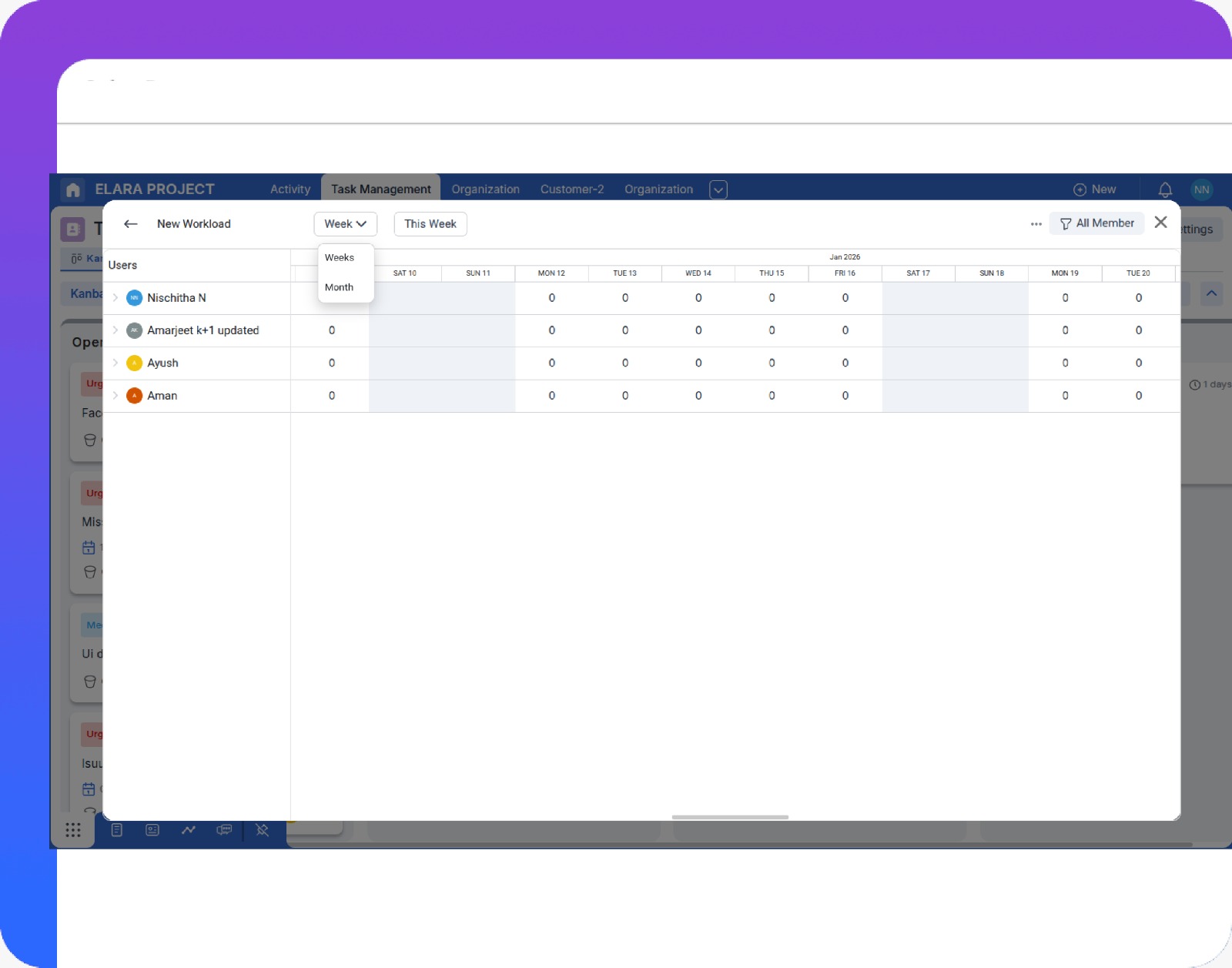
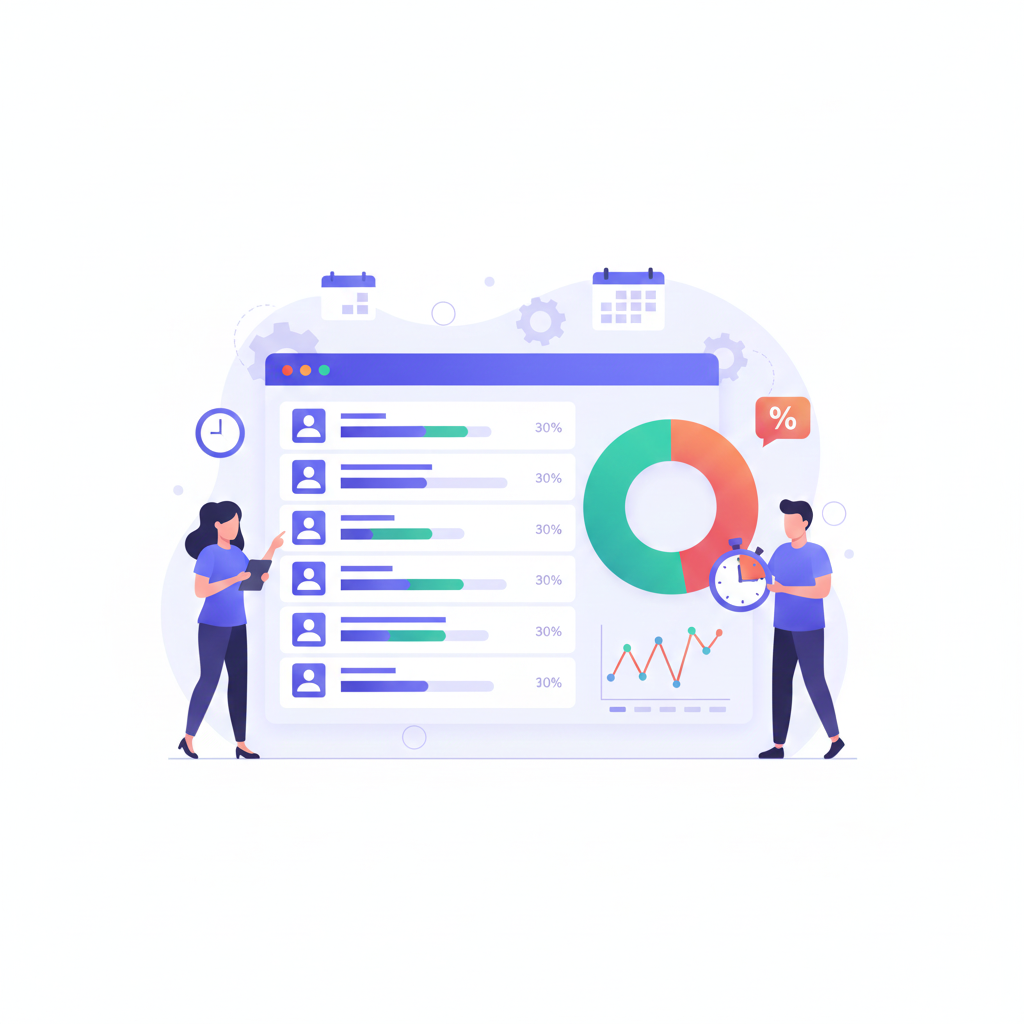
Workload monitoring and balancing across team members.

Workload Monitoring and Balancing

Track time spent on specific projects and visually analyze workloads against capacity to prevent overbooking and balance work across the team.

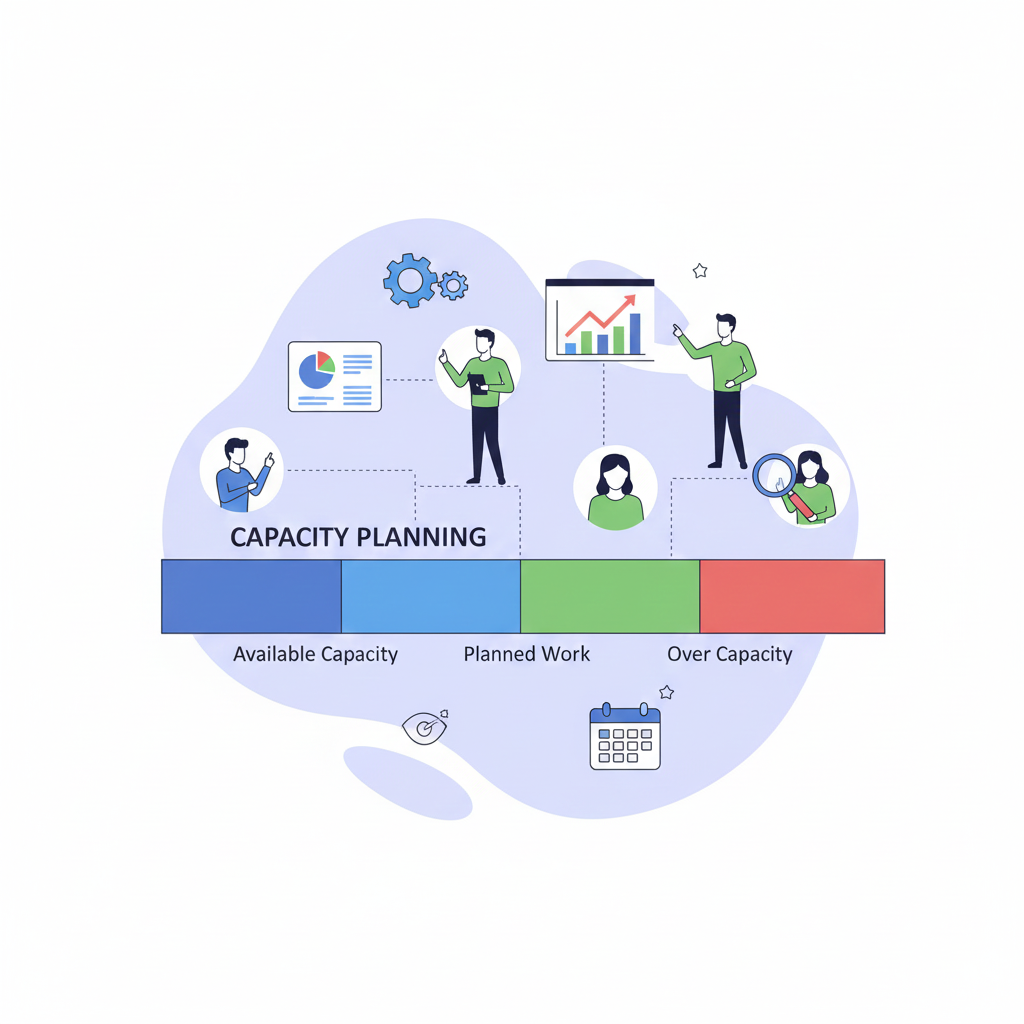
Capacity planning using availability and demand.

Capacity Planning

Use Calendar integration and project pipeline data to forecast resource demand, identify shortages or surpluses, and make proactive staffing decisions.

Timesheet and utilization tracking.

Timesheet and Utilization Tracking

Track Effort Hours against tasks to analyze utilization rates and ensure resources are focused on high-value work.

Who Does This Help?

Resource / Team Managers

Monitor team capacity, balance workloads, and plan resources effectively to avoid bottlenecks and burnout.

Project Managers

Assign the right people to the right tasks based on availability and capacity to keep projects on schedule.

Individual Team Members

View assigned workload and availability clearly to manage commitments and avoid over-allocation.

How Are We Different?

Integrated View of Task and Availability
Bottleneck Visualization
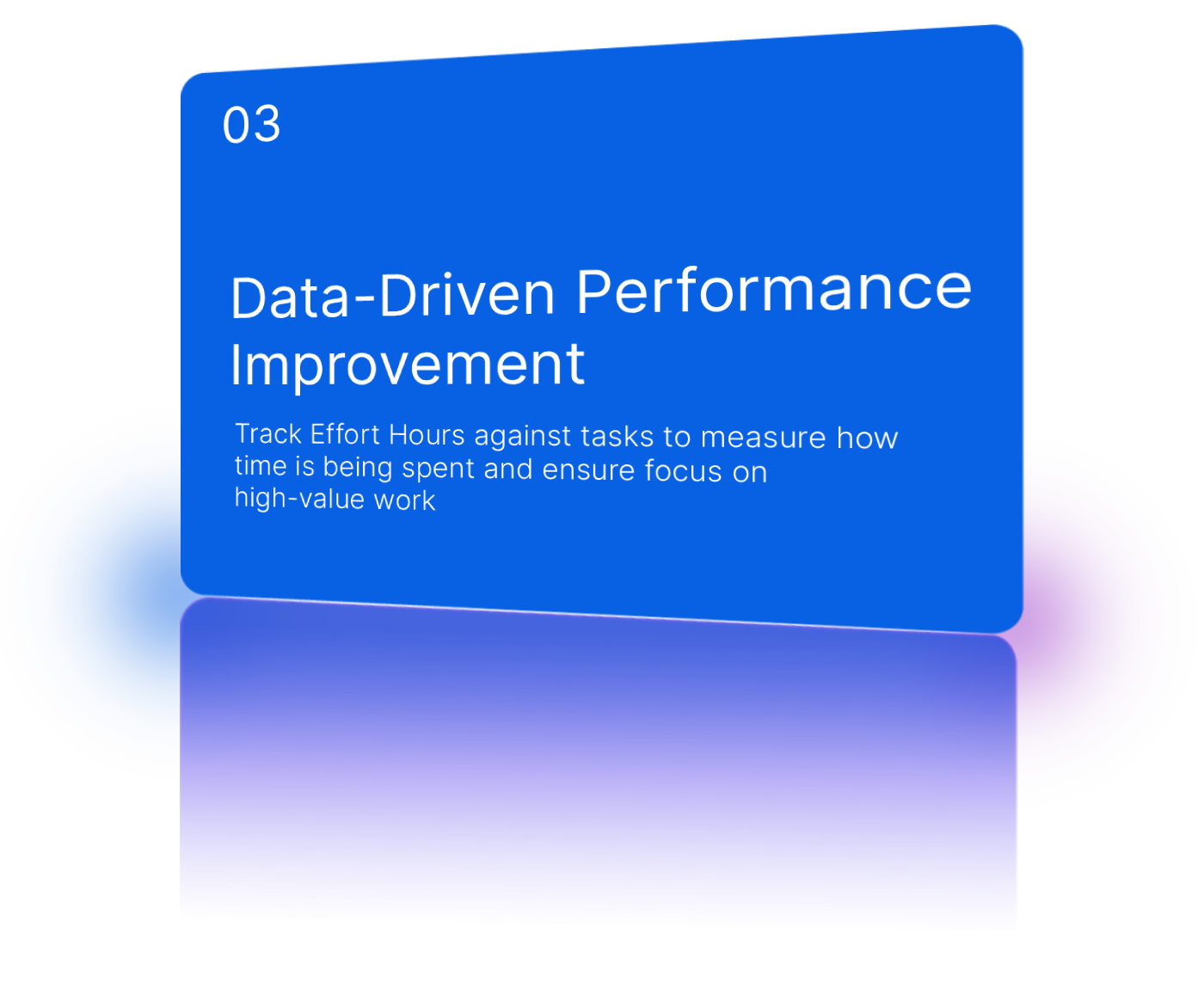
Data-Driven Performance Improvement
Integrated task assignments and calendar availability.
Integrated View of Task and Availability
Integrated task assignments and calendar availability.
Bottleneck Visualization
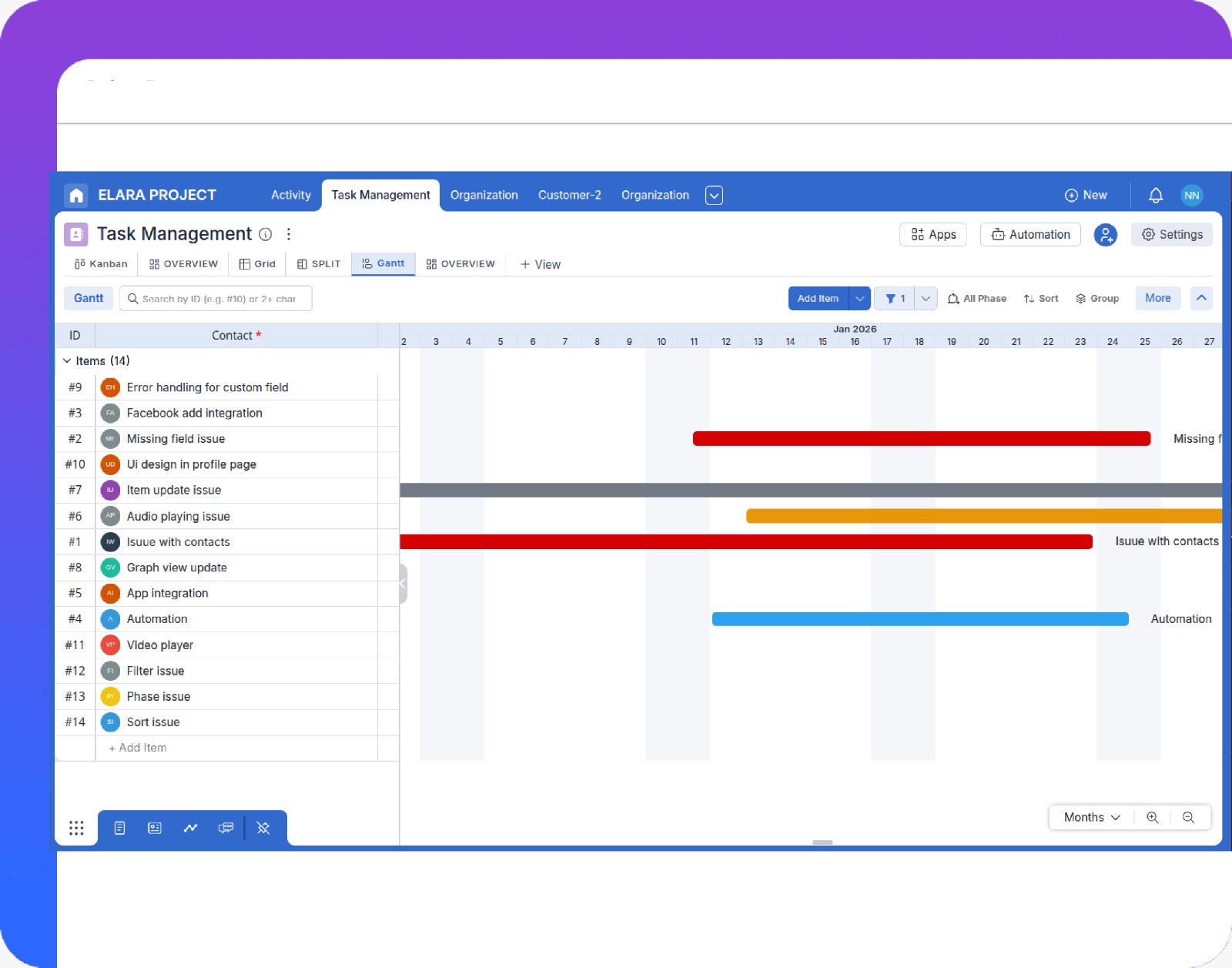
Bottlenecks visible through Kanban and Gantt views.
Data-Driven Performance Improvement
Utilization versus task completion analytics.

What All Does It Do?

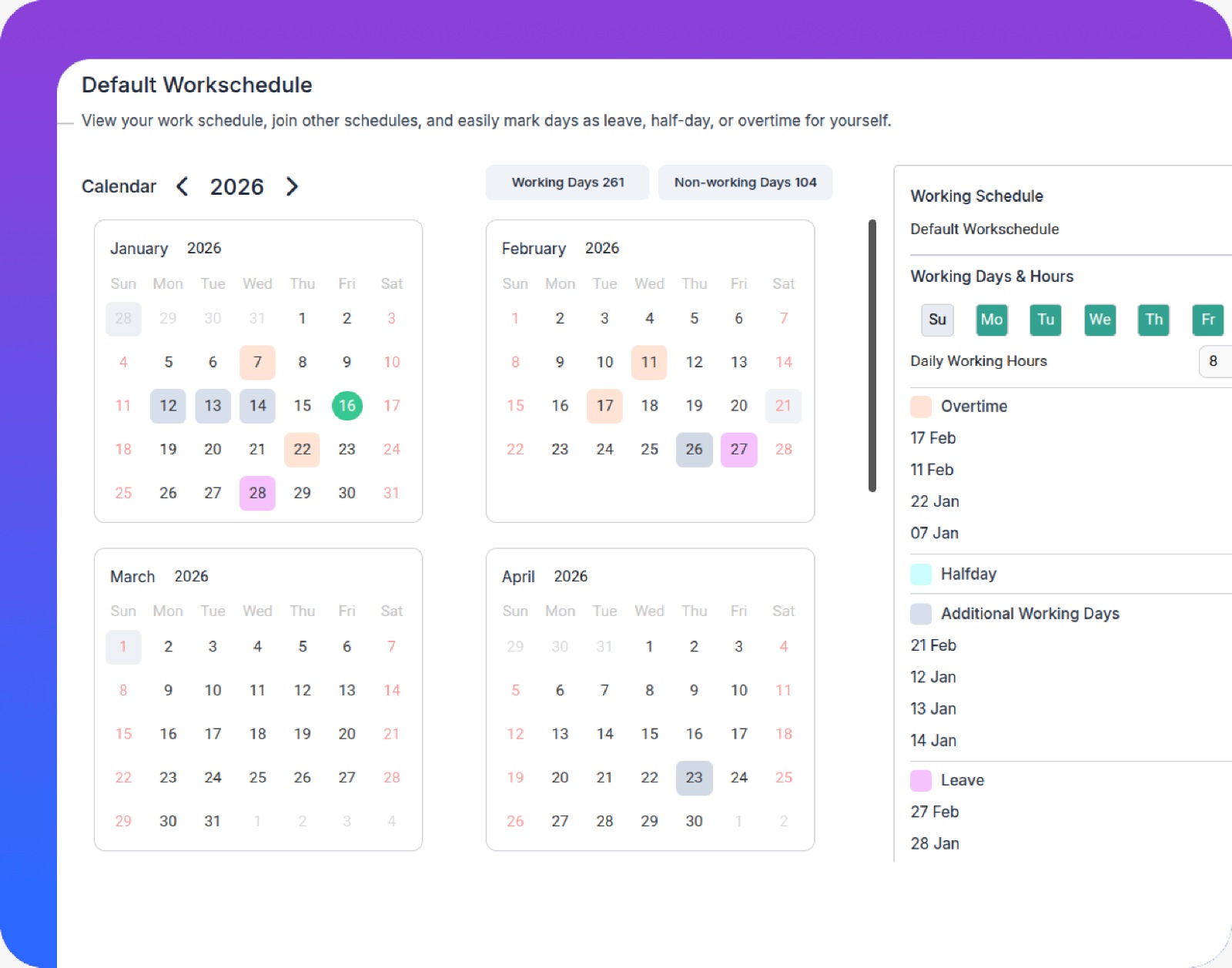
Capacity settings and working hours for team members.

Create a Capacity Model for Your Team

Set up work hours, holidays, and role-based availability so Pronnel always knows how much capacity each person really has.

How it works?

Use Integrated Calendar and Custom Attributes to define working patterns, time-off types, and roles that feed into capacity calculations.

Advantages

Untitled-1
Realistic Planning
Plan work based on true availability instead of rough guesses.
Untitled-1
Transparency
Everyone understands when people are really free to take on more work.

Connect Tasks, Boards, and Calendars

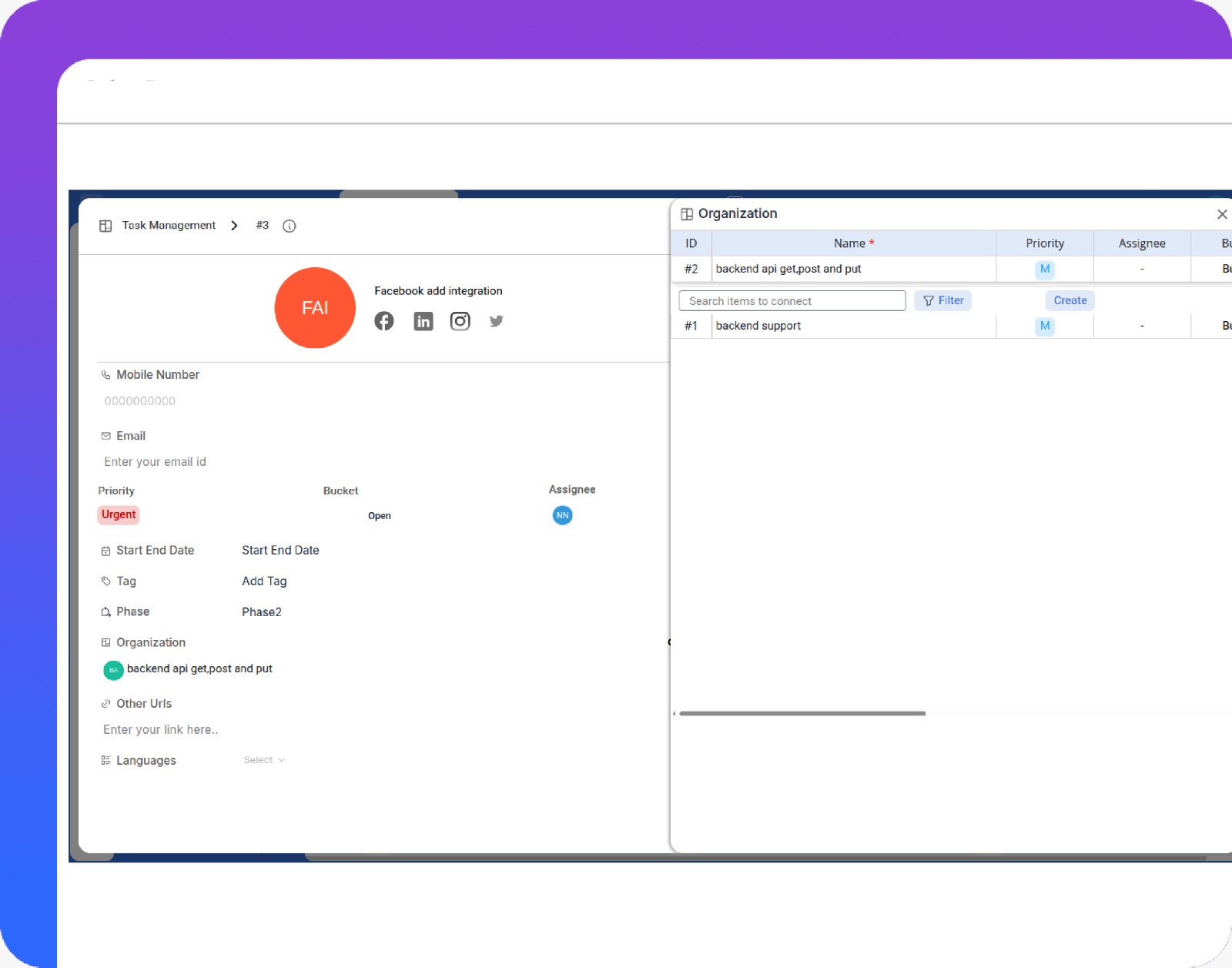
Link Stories and Tasks from execution boards directly with people’s calendars to see who is overloaded or underutilized.

How it works?

Use Multiple Views and Activity Tracking so every task is assigned, scheduled, and visible on workload and calendar views.

Advantages

Untitled-1
Single Source of Truth
The same work item shows up on boards, reports, and calendars.
Untitled-1
Fewer Surprises
Spot clashes between meetings, tasks, and deadlines early.
Tasks synchronized with team calendars.
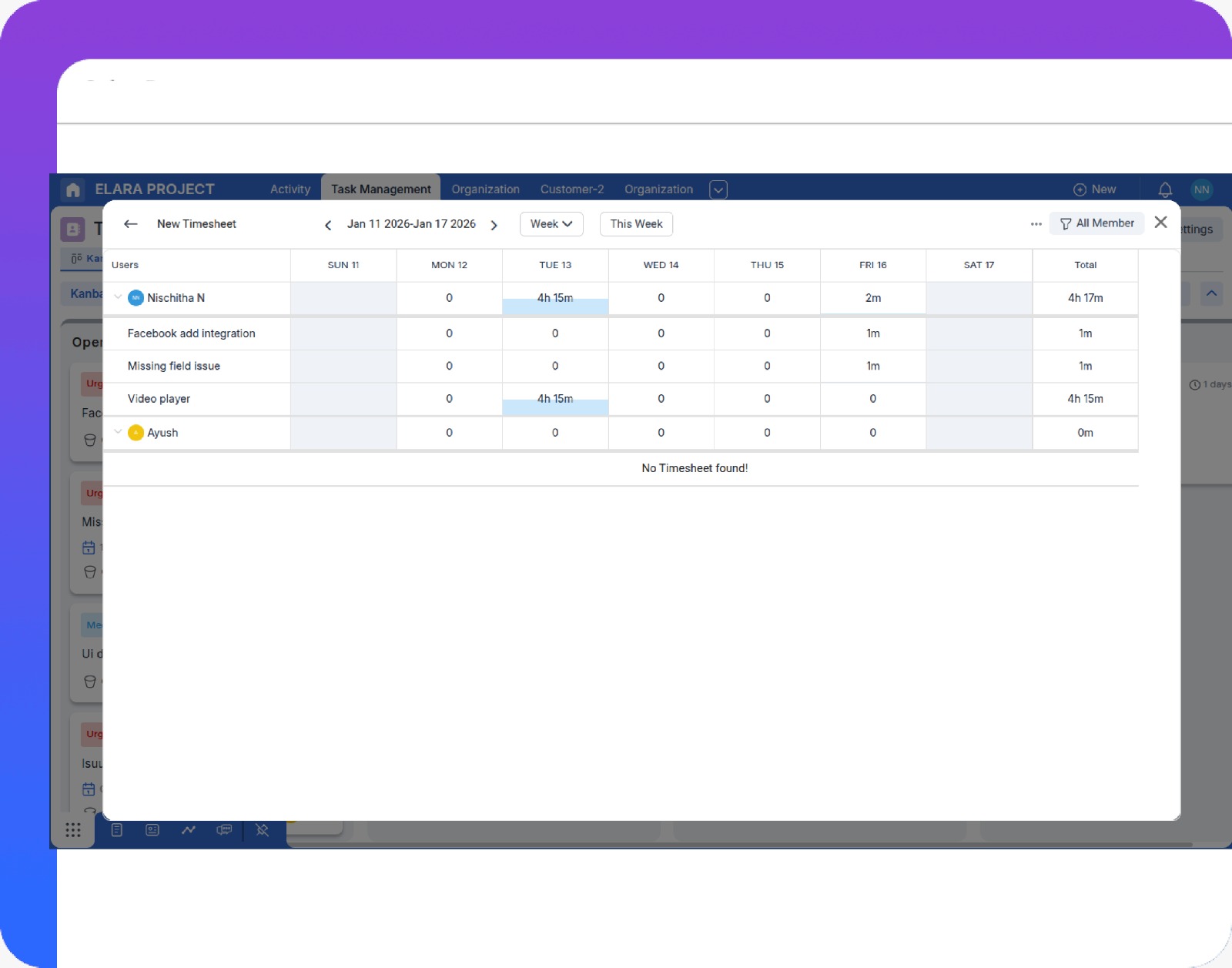
Timesheet entries against project tasks.

Capture Effort with Timesheets

Record Effort Hours against tasks so you can compare planned versus actual time by person, role, or project.

How it works?

Team members log effort on their tasks; Pronnel aggregates this into utilization and cost views for managers.

Advantages

Untitled-1
Utilization Insight
See who is overworked, underutilized, or perfectly loaded.
Untitled-1
Better Estimates
Use historical effort data to improve future planning and pricing.

Visualize Workload and Bottlenecks

Use Kanban, Gantt, and workload dashboards to see where work is piling up by person, skill, or project.

How it works?

Pronnel pulls task assignments, due dates, and effort into visual dashboards so you can quickly identify overloaded resources.

Advantages

Untitled-1
Early Detection
Spot bottlenecks before they become project delays.
Untitled-1
Actionable Views
Drill down from a red workload bar to the exact tasks causing the problem.
Workload and Gantt views highlighting bottlenecks.
Manager rebalancing tasks across team members.

Rebalance and Simulate Scenarios

Reassign work, shift dates, or adjust scope and immediately see how it impacts capacity and deadlines.

How it works?

Use drag-and-drop boards and Gantt-style planning to move tasks between people or time slots, then review the updated workload and capacity graphs.

Advantages

Untitled-1
Burnout Prevention
Keep workloads sustainable while still meeting key milestones.
Untitled-1
What-if Planning
Quickly test staffing and scope scenarios before committing.

Pronnel solves multiple problems.

Resource Management works best when combined with strong execution and planning tools. Explore related solutions that complete the picture.

Road Map

Plan, visualize, and align work across timelines to ensure teams stay focused on priorities and long-term goals.

Round Arrow Right Streamline Icon: https://streamlinehq.com

Agile Project Management

Plan, assign, and track project tasks with structured boards that keep teams aligned and work moving forward.

Round Arrow Right Streamline Icon: https://streamlinehq.com

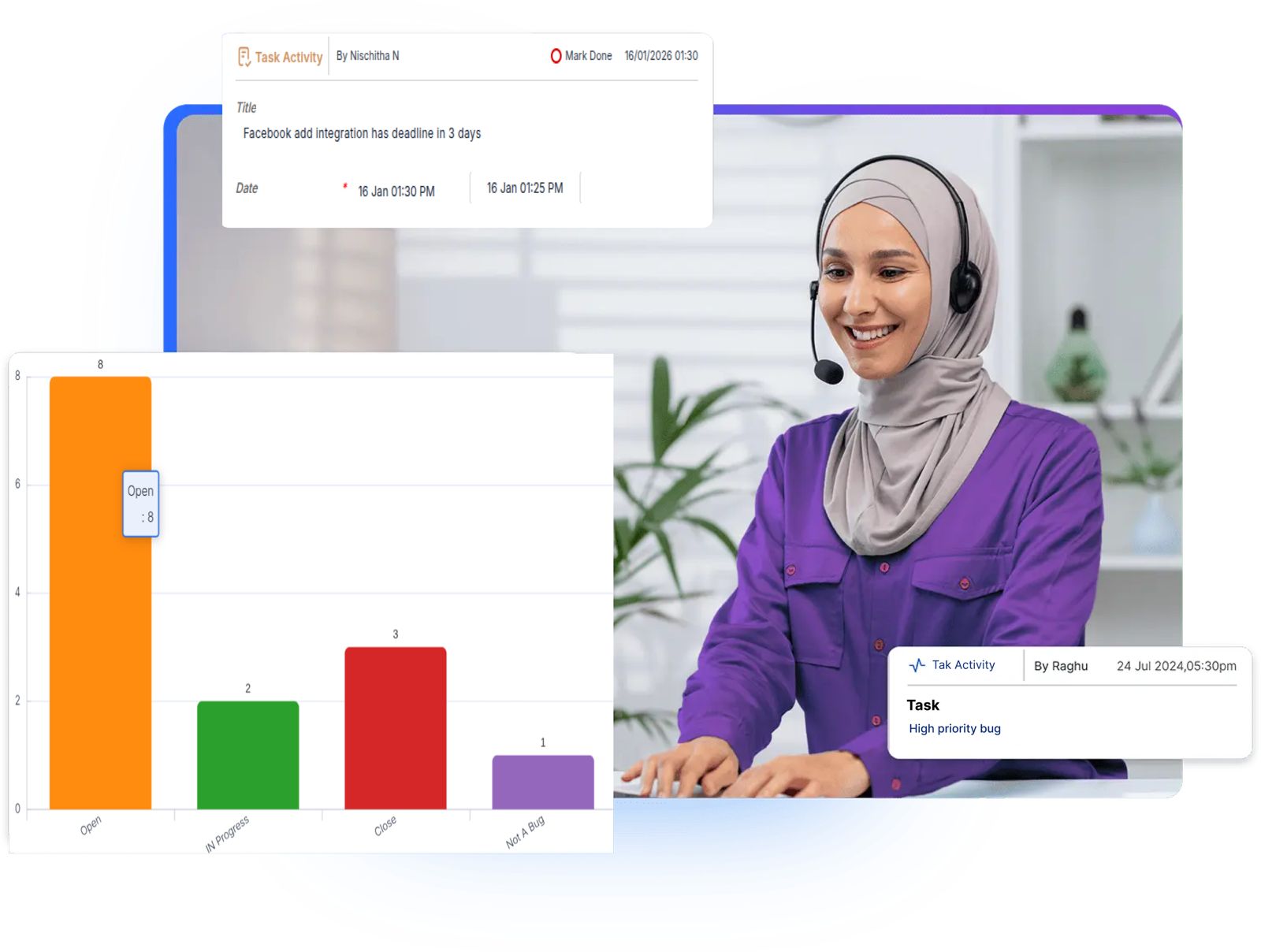
Issue And Bug Tracking

Log, prioritize, and resolve issues and bugs efficiently while tracking status and accountability.

Round Arrow Right Streamline Icon: https://streamlinehq.com

Collaboration

Collaborate directly on tasks with comments, shared files, and updates in one unified workspace.

Round Arrow Right Streamline Icon: https://streamlinehq.com

Reporting And Dashboards

Gain real-time insights into task progress, workloads, and performance through visual reports and dashboards.

Round Arrow Right Streamline Icon: https://streamlinehq.com

Epic,Story & Tasks Issues

Manage epics, stories, tasks, and related issues in a single view for better structure and traceability.

Round Arrow Right Streamline Icon: https://streamlinehq.com

Keep Workloads Balanced and Teams Productive

Align resource capacity with project demand to avoid burnout and delays.

Machine Learning Streamline Icon: https://streamlinehq.com

Workload & Capacity Dashboards

Visualize workloads and capacity across projects and roles to quickly spot over- or under-utilization.

Machine Learning Streamline Icon: https://streamlinehq.com

Availability & Calendar Integration

Combine Calendar data with task assignments to understand true availability at a glance.

Machine Learning Streamline Icon: https://streamlinehq.com

Timesheets & Utilization Analytics

Use Effort Hours and utilization reports to ensure resources are focused on the highest-value work.

FAQs: We have answers to your Questions

What is the key difference between Capacity Planning and Workload Monitoring?

Capacity Planning is strategic, focusing on long-term forecasting of resource needs. Workload Monitoring is tactical, focusing on real-time tracking of current task assignments and utilization.

How does Pronnel help prevent team burnout?

Pronnel visualizes workload against capacity limits so managers can spot overextended resources and proactively reassign tasks or delay less urgent work to maintain balance.

Can I track non-human resources (for example, equipment) in Pronnel?

Yes, indirectly. While Pronnel focuses on human resources, Custom Attributes allow you to represent virtual resources like “Test Environment 1” and track their utilization to avoid scheduling conflicts.

How does Pronnel support effective capacity planning?

Pronnel helps teams plan capacity by analyzing workloads, availability, and upcoming tasks, ensuring resources are allocated realistically before work begins.

Can Pronnel help balance workloads across team members?

Yes. Pronnel provides clear visibility into individual workloads, making it easy to redistribute tasks evenly and ensure no single team member is overloaded.

Does Pronnel provide real-time insights into resource utilization?

Pronnel offers real-time dashboards that show how resources are being utilized across projects, helping managers make quick and informed adjustments.

How does Pronnel handle changes in resource availability?

When availability changes, Pronnel allows teams to quickly reassign tasks and adjust plans, ensuring work continues smoothly without delays.

Is Pronnel suitable for managing resources across multiple projects?

Absolutely. Pronnel is designed to manage and monitor resources across multiple projects, providing a consolidated view of capacity and workload in one place.

What Our Clients Say

Happy Client Review Ross
Ross

Sales & Marketing Manager in United Arab Emirates

Quote Left Streamline Icon: https://streamlinehq.com

A positive experience. Very feature rich. Very adaptable and configurable. You won't feel "nickle-and-dimed" from the product as pretty much everything is included.

Quote Right Streamline Icon: https://streamlinehq.com
Happy Client Review Faisal
Faisal

Business Development Head in United Arab Emirates

Quote Left Streamline Icon: https://streamlinehq.com

Love the user interface and the straightforward navigation. Tailoring the CRM was effortless, thanks to the amazing customization options.

Quote Right Streamline Icon: https://streamlinehq.com
Happy Client Review Anirban
Anirban

Director/ Partner in United Arab Emirates

Quote Left Streamline Icon: https://streamlinehq.com

This application can do anything and everything based on your requirements, any modifications can be done based on your requirements.

Quote Right Streamline Icon: https://streamlinehq.com

Pronnel's keeps you on track

Get your personal work companion today!

Get Started Book A Demo See Pricing